Showing posts with label Laptop. Show all posts

New Gaming Notebook with NVIDIA GeForce GTX Graphics Card

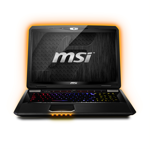
MSI Announces the New GT783 Gaming Notebook Featuring the Highly Anticipated NVIDIA GeForce GTX 580M Graphics Card - Providing gamers with an unprecedented gaming experience like no other, the GT783 comes standard with NVIDIA’s top-of-the-line graphics and the Intel Core i7-2670QM quad core processor.

New Gaming Notebook with NVIDIA GeForce GTX Graphics Card

MSI Computer Corp., a worldwide leading manufacturer of computer hardware products and solutions, is pleased to unleash the GT783 and GT783R, two mobile gaming powerhouse laptops featuring the NVIDIA© GeForce© GTX 580M graphics processing unit (GPU) and Blu-ray burner. The new notebooks are designed with cutting edge technology for gamers that have been thirsting for gaming ecstasy.

Engineered to provide serious gamers with the ultimate power, the new GT783 series combines vibrant graphics from one of the most high-end NVIDIA© GeForce© graphics processors, along with the second-generation Intel® Core™ i7 Processor, creating battle-ready notebooks that are poised to dominate the gaming market.

“Gamers will revel in the GT783’s arsenal of advanced gaming technology combined with a sleek, innovative exterior. Packing the NVIDIA’s GeForce GTX 580M, both GT783 models offer unrivaled visuals and FPS performance providing gamers with an ultra realistic gaming experience unlike anything else available on the market.” said Andy Tung, Vice President of Sales, MSI USA.

The GT783 Limited Edition and GT783R comes jam-packed with impressive specs, including 4 DDR3 memory slots allowing the hardcore user to upgrade the memory to an incredible total of 32GB. Each model comes with its own unique storage configuration to meet the needs of any gamer. The GT783R comes packed with a dual HDD set up in RAID 0 for accelerated and enhanced performance. Offering a hybrid storage configuration, the GT783 Limited Edition combines an SSD hard drive with an HDD to instantly increase hard drive read speeds by 70%, more than enough to meet the needs of battle scenes and other complex graphics.


…»Continue Reading!

Gaming Notebooks and Desktops with Stunning Full HD Visuals and Performance

CyberPowerPC.com Offers Gaming Notebooks and Desktops with Stunning Full HD 1080P Visuals and Performance Advantages Powered by 2nd Generation Intel Core Processors - Extreme gamers need gaming notebooks and desktops that can bring gaming experience to new heights. CyberPowerPC.com, a manufacturer of high quality gaming notebooks, offers just that with desktops powered by 2nd Generation Intel Core Processors. Starting at $458.00, Intel desktops offer not only visibly smart performances but boast of added performance and 4-way multi-task processing as well. All gaming desktops built by CyberPowerPC.com can be customized and built from scratch.

Gaming Notebooks and Desktops with Stunning Full HD Visuals and Performance

From computer systems manufacturer and gaming notebook distributor CyberPowerPC.com comes Intel desktops equipped with the latest technology that gamers will dream to have. 2nd Generation Intel Core Processors are the ultimate must-haves for gamers, both extreme and average users. Starting at $465.00, computer fanatics can enjoy gaming desktops powered with 2nd Generation Intel Core i3, i5, and i7 processors that boasts of visibly smart performance where in built-in visuals and 4-way multi-task processing becomes possible with Intel Hyper-Threading Technology, allowing processors to work on many tasks at the same time.


…»Continue Reading!

ASUS G53SX is World's First Glasses-Free 3D Gaming Laptop

The World's First Naked Eye 3D Gaming Laptop - Look Ma, No Glasses - ASUS has just introduced the World's First Naked Eye or Glasses-Free 3D Gaming Laptop. Will this new technology finally bring 3D into the mainstream?

ASUS, with their Republic of Gamers (ROG) laptops, have constantly been pushing the boundaries of computer gaming. Now, at the latest Computex in Taipei, they have created some collective buzz around one of their latest offerings - the ASUS G53SX, the world's first "glasses-free" 3D gaming laptop. Asus is calling this a Naked Eye 3D system, which will feature some unique technology with the ability to instantly convert existing 2D visuals into glasses-free 3D content.

ASUS G53SX is World's First Glasses-Free 3D Gaming Laptop

This 3D laptop even has a "mixed mode" where you can view in one window, a 2D display and a 3D display - all at the same time. And Asus, in a recent press release, is claiming all this can be accomplished without "compromising brightness, contrast or color fidelity, exceeding the output of older 3D technology that relies on glasses."

This glasses-free technology and devices may just be the push 3D needs at the moment, especially with gamers where the jury is still out. It could also conceivably open up a much larger consumer base or marketplace for this new technology and finally bring 3D into the mainstream.

"Getting rid of those awkward glasses will be the key to the success or failure of 3D technology," states Titus Hoskins, a former teacher who now runs: 3D-gaminglaptops.com, a highly ranked site on 3D gaming laptops. "Besides the extra expense, many people find wearing the 3D glasses uncomfortable and a real pain to use."

The 15-inch Full HD G53SX also sports some other ground-breaking features and specs, which will turn more than a few heads in the gaming world. The laptop is powered by a 2nd generation (Sandy Bridge) Intel® Quad Core i7 CPU and discrete DirectX® 11 compatible Nvidia GeForce® GTX 560M graphics, which has a massive 2GB of GDDR5 video memory. It also has a solid state hybrid drive at 10,000 rpm, which can cut down boot times by up to 52%. As you probably know, most high-end gaming laptops currently run at 7200 rpm speeds.

In addition, this ROG gaming laptop comes with a whole suite of 3D content creation and editing software, which will let owners use advanced authoring tools and they will also have 3DTV Play connectivity. Sound performance will be increased with both THX (next generation surround sound) and EAX 5.0 3D, giving gamers up to 128 additional sound effects at once when compared to conventional gaming notebooks.

The laptop's design also includes two fans which will draw cool air in from the front and then push the warm air out through large twin exhausts or vents at the rear of the device. As gamers know, keeping any high-performance machine cool and quiet, are two of the biggest obstacles to enjoyable gaming. Asus made devices have had great success in this area and hopefully the G53SX won't be an exception.

However, it is the Naked Eye or glasses-free 3D feature which makes the ASUS G53SX a true groundbreaker. This new technology opens up a whole new spectrum for 3D gaming laptops without the glasses. It could also pave the way for a whole new industry for Naked Eye 3D gaming laptops and other devices. Regardless, the ASUS G53SX will definitely have many gamers smiling, look ma - no glasses.


…»Continue Reading!

xTablet C1200 Convertible Rugged Laptop to Tablet PC

MobileDemand Introduces the xTablet C1200 Convertible Tablet PC Exceptional Performance, Durability and Anywhere Connectivity for Mobile Professionals on the Go -This versatile device quickly and easily transforms from a rugged laptop to a Tablet PC making it ideal for field service (utilities, maintenance and repair, and insurance), military, public sector (fire, law enforcement, public safety, and inspections), health care, agriculture, delivery and other mobile applications.

xTablet C1200 Convertible Tablet PC

MobileDemand, manufacturer of rugged xTablet PCs, introduces the rugged, high-performance xTablet C1200 convertible tablet specifically designed for the always-mobile professional who needs superior connectivity and access to business applications anytime, anywhere. This versatile device quickly and easily transforms from a rugged laptop to a Tablet PC making it ideal for field service (utilities, maintenance and repair, insurance), military, public sector (fire, law enforcement, public safety, and inspections), health care, agriculture, delivery and other mobile applications. The easy-grip handle lets mobile professionals quickly grab it and go.


…»Continue Reading!

Top 10 Gaming Laptops with Reviews and Buy Online

Top 10 Gaming Laptops with Reviews and Buy Online - Also Find a small review of each of the laptops in the description, if your interested in more reviews or a great place to buy the Laptops at. I show you a link to Amazon, you can find them all there with tons of reviews. So here we go..

1. Alienware M17x

Alienware M17x garners such high ratings among gaming laptops. The brand continues its dominate the gaming category without missing a beat and even the extreme graphics look and specs are carried over into this powerful laptop machine. Go for: Alienware M17x Complete Review

2. Alienware M15x

Alienware M15x may just be the computer of your dreams, this laptop is nothing less than second place. It’s dominate specs bring it to the #2 spot, right under the M17x. It’s a bit pricey, but definitely a great machine. Go for: Alienware M15x Complete Review

3. Dell Studio XPS 16

The Dell Studio XPS 16 isn’t as specifically geared towards gaming as other laptop computers featured on this video. But, it offers enough high end computing features that all but the most extreme gamers will find it to be a good choice. Go for: Dell Studio XPS 16 Complete Review

4. Asus Republic of Gamers

The Asus Republic of Gamers Laptop is excellent for gaming, and it’s cheaper than most gaming laptops as well. This is the best gaming laptop for it’s price flat out, incredible specs. Go for: Asus Republic of Gamers Complete Review


…»Continue Reading!

Latest Getac S400 Semi-Rugged Notebook Computer - Group Mobile

Group Mobile Adds the Latest Getac Semi-Rugged Notebook to Product Line - Group Mobile, well known for carrying the top brands in rugged laptops, rugged tablet PCs, rugged PDAs, and rugged handheld computers has added the newest semi-rugged Getac notebook computer to its product offerings — the Getac S400.

New Getac S400 Semi-Rugged Notebook

Featuring Getac's ruggedized KryptoShell™ case, the new Getac S400 notebook meets or exceeds military standards (MIL-STD-810G) for temperature, shock, vibration, and drops from up to 2.5 feet. It has a 320GB shock-mounted hard disk drive and 2GB of DDR3 RAM, providing ample storage and memory. Mobile professionals will certainly appreciate the high performance and durability this notebook has to offer.

The Getac S400 pairs the Intel® Core™ i3-350M 2.26GHz processor with the Windows® 7 operating system for an incredible mobile computing experience. Getac also offers an option to upgrade to the Intel Core i5-520M 2.4GHz processor for even greater speed and performance when using processor-intensive applications. The S400 features a 14" sunlight-readable, widescreen display for easy viewing in any lighting condition, and is available with Getac's optional glove-friendly, multi-touch technology. Multi-touch display technology uses special software to recognize multiple, simultaneous touch points, allowing users to carry out operations via the touch panel display with simple gestures, or using more than one finger at a time.


…»Continue Reading!

On Advent of Slate/Tablet Computing Results in Death of Laptop/Desktop

Death of the Laptop/Desktop: The Advent of Slate/Tablet and Mobile Computing in the Cloud - Desktop for life, LLC (DT4L) has announced a new era in business and personal computing based on the current Slate/Tablet and Smartphone technologies.

Desktop for life, LLC (DT4L) has announced a new era in business and personal computing based on the current Slate/Tablet and Smartphone technologies. The Ubiquitous nature of DT4Life’s platform allows for device, browser, and OS (Operating System) independence in accessing your favorite productivity software and applications.

DT4LIFE provides all the hardened security and discipline of the traditional “Glass House” Data Centers with the portability and always on/always there features of today’s Tablet/Slate and mobile devices. As enterprise users adopt these new technologies already embraced by today’s consumers, DT4LIFE provides an economical, secure and effective manner for the enterprise to manage the proliferation of these devices while safeguarding company data. DT4L technologies seamlessly allows consumers and enterprise users access to an always on/always there desktop image that is free of the technology constraints (maintenance, virus, patching, backups, Hardware failure) inherent in today’s desktop and /laptop environments.


…»Continue Reading!

Logitech Launch Laptop Accessories for More Laptop Comfortability

Logitech introduces Laptop accessories for more comfortable laptop experience - While no one can debate the enormous benefits provided by laptops, it would be worthwhile to understand some of the health issues that come with their excessive usage, directly impacting posture, eyes or heat burns, amongst a host of other side effects.

Logitech Launch Laptop Accessories for More Laptop Comfortability

In a rapidly evolving technological workspace, laptops have quickly replaced desktops as the most preferred personal computing device. Their portability, mobility and convenience of use have made them an integral part of not only our professional lives, but also our personal space. However, like the proverbial flip side, long hours of working on laptops have brought in a host of health issues for users, which are crucial to understand and combat, to prevent irreversible damage to our nervous, muscular and skeletal systems.

The most common problem being the eye strain caused by them, laptops also lack inclination, which ensures the user sits in a wrong posture while working on them. This causes contraction of shoulder and neck muscles, eventually leading to arthritis and nerve damage.


…»Continue Reading!

Win nVidia Notebook Computer on Photo Contest at Fodors

Win a Notebook Computer from NVIDIA with "Show Us Your African Safari" Photo Contest on Fodors.com - Fodor’s Travel announces the launch of an African Safari photography contest, “Show Us Your African Safari” through which one grand prize winner will win a notebook computer courtesy of NVIDIA.

From November 12 through December 13, visitors to Fodors.com are invited to upload their favorite African safari photos, detail the stories behind them and share their adventures with other travelers. The winning photographer will receive an Acer Aspire Notebook computer including NVIDIA® GeForce® GT 420M graphics with NVIDIA® Optimus™ technology. Ten runner-up winners will have their photographs featured in a slideshow on Fodors.com and win a Fodor's guide of their choice. All photographs will be considered for publication in the upcoming edition of Fodor’s African Safari guidebook.

“Every day of an African safari is truly unforgettable, from early-morning game drives to amazing stargazing,” says Fodor’s Publisher Tim Jarrell. “Whether zipping from camp to camp in a tiny Cesna or embarking on a multi-day walk through the bush, we have no doubt our travelers are pros at capturing the sights and the Big


…»Continue Reading!

Toshiba's Ultraportable Full-Performance Portégé R700 Laptop

Toshiba Introduces the Thinnest & Lightest 13-Inch Full-Performance Ultraportable 'Portégé R700' 25th Anniversary Edition Portégé R700 Includes World's First Honeycomb Structure and Fresh Air Cooling Technology in a Laptop
Toshiba's Singapore Computer Systems Division (CSD), a division of Toshiba Singapore Pte Ltd, today announced the Portégé R700, the thinnest and lightest 13-inch full-performance ultraportable. The Portégé R700 provides both consumers and business professionals with unprecedented performance in a highly mobile form factor at mainstream prices.

Previously, most ultraportable required low-voltage and lower powered processors to keep the system cool. At less than 19mm and starting from 1.39kg*, the Portégé R700 is capable of supporting a range of full-powered processors as a result of an innovative new cooling technology. Similar to cooling technology found in jet engines, the new Airflow Cooling Technology, co-developed by Intel® and Toshiba, uses powerful jets of fresh air to cool the heat-generating components, allowing the Portégé R700 to be configured with more powerful full-voltage processors, including the Intel® Core™ i3, Core i5 and Core i7 processors within its slim casing. Now, users can get the performance and longer battery life they need to


…»Continue Reading!

MSI Latest CX623 Multimedia Laptop with Core i5 and GeForce 310M

MSI CX623—Enjoy Next Generation Multimedia Today: MSI just unveiled the newest member of its Classic series of notebook computers - a 15.6" model with a high end nVidia GeForce 310M discrete graphics card (DDR3 1GB VRAM) and the all new Intel Core processor, so you can enjoy next generation multimedia performance today.

The CX623, the 15.6” laptop with discrete graphics card recently added to MSI's Classic series arsenal, just hit the market. Equipped with the latest Intel Core processor and the nVidia GeForce 310M discrete graphics card (DDR3 1GB VRAM), the CX623 offers the best multimedia processing capabilities out there.

MSI Latest CX623 Multimedia Laptop
What's more, the CX623 comes with MSI’s own color film print coating with cross-hatch design and MSI's chiclet keyboard, accentuating its minimalist, stylish exterior.


…»Continue Reading!

HP Launches ProBook Laptop Series

HP Launches ProBook Laptop Series: HP today announced a new brand of affordable notebook PCs that merge business functionality with sophisticated design to stand out from the crowd.

The HP ProBook series joins the award-winning HP EliteBook series to form one of the most versatile business notebook portfolios in the industry. Inspired by minimalism, the design of the new HP ProBook series combines matte and glossy surfaces while stripping out the extraneous, leaving only a stylish and clean look.

Distinguished by a choice of merlot or glossy noir finishes, a unique keyboard design and a set of professional innovations previously found only on higher-priced models, the HP ProBook series delivers HP’s best combination of business features, functionality and value.
ProBook Laptop Series“The stunning HP ProBook s-series delivers exceptional style and aggressive pricing that will captivate small and medium business users,” said Ted Clark, senior vice president and general manager, Notebook Global Business Unit, Personal Systems Group, HP. “But it’s not just about good looks or low cost, the HP ProBooks deliver the right blend of features and professional innovations to provide a great user experience.”

The standard series (s-series) of the new HP ProBook models incorporate a mercury-free design, and features high-definition (HD) LED backlit displays in a choice of 14-inch, 15.6-inch and 17.3-inch diagonal widescreen sizes.

The keyboard’s innovative layout provides a visually open and spacious keyboard with keys raised from the surface. Usability is the same as with traditional keyboards and the raised surface means fewer places for dirt and dust to hide making it easy to clean and more maintenance free than ever before.

Select HP ProBook models incorporate the latest in wireless connectivity with HP Mobile Broadband. Built-in Qualcomm Gobi technology enables HP notebooks to use a single module, the HP un2400, to support multiple mobile broadband network technologies and mobile operators. This increases users’ international roaming options and offers greater choice and flexibility in choosing a mobile data plan.

In addition to Microsoft® Windows® operating system offerings, select HP ProBook s-series models will offer Novell SuSE Linux Enterprise Desktop 11 preinstalled. SuSE Linux is an easy-to-use open source operating system that gives users the connectivity, usability and features they expect.

HP Professional Innovations included on the ProBook s-series include HP QuickLook 2 software, which provides access to e-mail, calendar, task and contact information within seconds at the touch of a button. The HP SpareKey feature addresses the hassle of forgotten passwords by using a sequence of three predetermined personal identification questions to gain immediate entry into the system. For added data security, File Sanitizer for HP Protect Tools permanently deletes individual files, folders and personally identifiable information from the notebook, which also allows customers to recycle the notebook with confidence that their business data has been removed.

Designed for recyclability, the ProBook s-series has been engineered for reduced impact on the environment by eliminating or reducing substances of concern, using fewer resources and reducing energy consumption.

The entire HP ProBook portfolio holds an Electronic Products Environmental Assessment Tool (EPEAT®) silver rating and is ENERGY STAR® qualified for energy savings. HP ProBook models configured with the Microsoft Windows operating system include a power management capability to save energy by automatically switching the PC into a low-power mode after a period of inactivity. Energy-saving HP Smart AC Adapters allow the notebooks to automatically make power adjustments as needed. Additionally, more than 90 percent of HP notebook PCs (by weight) are recyclable or recoverable (do not go to a landfill).

Infusing style into everyday business

The HP ProBook s-series includes:

HP ProBook 4410s and HP ProBook 4415s – Feature a 14-inch diagonal 16:9 HD widescreen LED backlight display, integrated optical drive with Blu-ray option and choice of ATI Mobility Radeon™ HD 4330 or Intel® GMA X4500 HD graphics controller. Wireless connectivity includes standard Wi-Fi certified WLAN and optional integrated Bluetooth® wireless technology. The notebooks also incorporate an HDMI port to connect to HD displays, and include Intel (4410s) or AMD (4415s) processors to offer a variety of options for mobility and longer battery life.

HP ProBook 4510s and HP ProBook 4515s – Offer a 15.6-inch diagonal 16:9 HD widescreen LED backlight display. Customers can select the optional HP Mobile Broadband connectivity with built-in Gobi technology, while standard Wi-Fi certified WLAN and optional integrated Bluetooth wireless technology round out the wireless connectivity technologies. They also feature an integrated numeric keypad. The notebooks include a choice of Intel (4510s) or AMD (4515s) processors to meet high demands for performance and connectivity and choice of discrete or UMA graphics. There is also an integrated numeric keypad on the 15.6-inch and 17.3-inch models.

HP ProBook 4710s – Features a 17.3-inch diagonal HD widescreen display, the largest of the lineup. For more graphics-intensive environments, the notebook includes the ATI Mobility Radeon HD 4330, with up to 512 megabytes of GDDR2 for video memory. It also features the latest Intel Core™ 2 Duo processors. Wireless connectivity includes standard Wi-Fi certified WLAN and optional integrated Bluetooth wireless technology. The notebook incorporates a HDMI port to connect to HD displays, as well as an integrated numeric keypad.

The HP USB 2.0 Docking Station is a compatible accessory for the HP ProBook s-series. In just one step, users are connected to their keyboard, mouse, monitor, printer and other accessories, and they are able to get video, audio, network connectivity and up to four universal serial bus (USB) connected devices working at the same time.

Pricing and availability

Estimated starting U.S. street pricing begins at $529. Notebook availability varies by region. Merlot color option is available only on 14-inch and 15.6-inch models and is expected to be available in June. The HP USB 2.0 Docking Station is available now for $139.

HP is extending its recently announced zero percent financing promotions that make it simple and affordable for small businesses to continue investing in the technology that can help them increase efficiency and grow their businesses. Offered through HP Financial Services, the company’s asset management services and leasing subsidiary, the two promotions provide customers the choice to either lease or own products.

More information about the HP ProBook s-series product specifications, images and other HP mobility solutions is available in an online press kit at http://www.hp.com/go/mobility2009 or at http://www.hp.com/personal.

About HP
HP, the world’s largest technology company, simplifies the technology experience for consumers and businesses with a portfolio that spans printing, personal computing, software, services and IT infrastructure. More information about HP (NYSE: HPQ) is available at http://www.hp.com.


© 2009 Hewlett-Packard & Respective Owners
Source: HP Press Release


…»Continue Reading!

Ultra-Thin Laptops - ASUS U/UX Series

Ultra-Thin Laptops - ASUS U/UX Series

ASUS has announced the U and UX series of ultra-thin laptops, expected to launch sometime in Q2. Both feature an illuminated chiclet keyboard and auto-adjusting LED backlit display. The U series also features a 15.6-inch glossy LCD and a touchpad that uses progressively fading lights to follow your fingertips. Under the hood, there's an Intel Core 2 Duo processor, NVIDIA GeForce G105M, up to 500GB HDD, and Altec Lansing speakers with SRS true surround sound. We don't have nearly as much information on the UX, unfortunately, but we do know it's sporting a slot-in optical disc drive.

Ultra-Thin Laptops - ASUS U/UX Series
Light and Light – Introducing the New U and UX Series Notebooks

An Intricately Crafted Series of Notebooks that Provide Both Contemporary Style and Effortless Computing On-the-go

ASUS, a leader in innovative industrial design, today presented the new U and UX Series, a new range of notebooks that celebrate contemporary styling and effortless elegance. Each of them a masterpiece so immensely desirable, the U and UX Series takes modern day computing to the streets, bringing delight to the users' senses and allowing them to work or play in style.

Immaculate Design for the Discerning Individual

The ASUS U and UX Series are designed for the modern individual who accepts no compromise when it comes to exquisite taste in high fashion and possesses an eye for the latest trends as well as the intricacies in design. Reminiscent of the streets of Paris with the evening fast approaching, the ASUS U and UX Series' newly-adopted illuminated 'chiclet' keyboard lights up brilliantly, not only providing users with the ability to type in the dark, but its subtle yet assuring glow also reminds the user of the star studded skies above. AI Light sensor technology intelligently detects the surrounding environmental lighting conditions and then automatically adjusts the brightness or dimness of the LED backlit display to provide a comfortable computing experience even in adverse lighting conditions. These features can be found adorning a softly contoured chassis, shrouded in a sleek and sophisticated glossy LCD lid and supported by a frame inspired by the curvature of a butterfly's wings.

UX Series – Gracefully Slim for Added Lightness

ASUS UX Series
The UX Series' strikingly slim profile adds to an impressively minimalistic approach to avant garde notebook design. A slot-in optical disc drive helps the UX Series to maintain its elegant profile, while a contrast of matte and gloss finishes provides a sense of both sophistication and boldness.

U Series – Delight in Style and Substance

To further complement the illuminated 'chiclet' keyboard, the U Series sports an equally illuminated and interactive touchpad which sends a trail of progressively fading lights to pinpoint the location of the users' fingertips while delighting the senses. Powered by an Intel® Core™2 Duo processor which provides the muscle for extensive multitasking and productivity, the U Series is equipped with a hard disk drive of up to 500GB, providing more than ample storage for documents and multimedia. An energy-efficient 15.6-inch LED backlit display powered by a dedicated NVIDIA® GeForce® G 105M with 512MB memory provides users with stunning visual performance for presentations and entertainment while utilizing very little power. Combined with Altec Lansing speakers-equipped with SRS true surround sound that provides high definition audio-the svelte U Series is truly an all-rounded performer for any occasion or a night out in town.

Source: web/engadget


…»Continue Reading!

Lenovo's ThinkPad W700 available in September 2008

Lenovo's ThinkPad W700 will be available in stores this September, offering consumers a high performance mobile workstation with a great capacity for graphic design and digital content creation.

watch the demonstration video at Siggraph 2008 below to confirm the robustness of high performance mobile workstation

"Lenovo has engineered a new breed of mobile workstations with the ThinkPad W700," said Peter Hortensius, senior vice president, Notebook Business Unit, Lenovo. "No other PC manufacturer delivers the sheer quality, power and performance and cutting-edge innovation packed into this mobile workstation. It will truly change the way digital content and other application-heavy users work by simplifying and streamlining tasks to make them even more productive."
Lenovo's ThinkPad W700
The laptop incorporates a built-in digitizer and color calibrator, NVIDIA Quadro FX 3700M 1GB graphics, the Intel Centrino 2 processor, dual hard drives with RAID configuration, up to 8 GB of memory, wireless connectivity, and an optional Blu-Ray DVD player.

The W700 was created with designers in mind, but the laptop will appeal to data and graphics-intensive users in all fields. The 17-inch screen provides more than twice the resolution of typical displays, and its 72% color gamut provides more than 50% greater color intensity than typical displays. The workstation supports HD video, DVI, Display Port and VGA. The W700 also includes impressive new features sure to appeal to the graphic design crowd. The digitizer maps images to the entire screen, or an area defined by the user, enabling easy configuration of images, and the color calibrator automatically adjusts the display's color up to four times a month, keeping images accurate.

Five USB ports and a 7-in-1 multicard reader allow easy content management, and models are available with Intel vPro technology for complete manageability. The W700 can be equipped with dual hard drives, with one of them being solid state drive storage, for maximum mobile capacity. The workstation features WLAN, WWAN2, and WiMax connectivity, and is compatible with Bluetooth and ultra wideband technology.

Watch the Lenovo Thinkpad W700 Live demonstration at Siggraph 2008


Price: $2,978

Source: gizmag


…»Continue Reading!

The world's Thinnest Notebook: MacBook Air Macworld Expo 2008

MacBook Air Macworld Expo 2008 The world's Thinnest Notebook

Macworld Expo takes place from January 15-18th, 2008 in San Francisco, California.
MacBook Air users can buy the companion MacBook Air SuperDrive, a compact external drive designed for MacBook Air, for $99. The MacBook Air SuperDrive is powered by MacBook Air's USB port, eliminating the need to carry a separate power adapter. The new MacBook Air will be shipping in two weeks in its base configuration for a suggested retail price of US$1,799. Build-to-order options and accessories include the ability to upgrade to a 1.8 GHz Intel Core 2 Duo processor; 64GB solid state drive, MacBook Air SuperDrive, Apple USB Ethernet Adapter, Apple USB Modem, Apple MagSafe Airline Adapter, Apple Remote, and more

Here's Video Presentation of MacBook Air Macworld Expo 2008 a Great Presentation, makes you want to get one!


Sporting a silvery finish, the MacBook Air features a 13.3-inch LED-backlit widescreen display that has a 1280 x 800 pixel resolution. The backlighting saves power and provides "instant on" response from the moment you turn it on, according to Jobs. The device has a slightly wedge-shaped profile. It weighs about 3 pounds, and sports a thickness of 0.16-0.76 inches. It's 12.8 inches wide and 8.95 inches deep.

The MacBook Air also features a built-in iSight webcam and a full sized MacBook-style black keyboard. The keyboard is backlit, similar to MacBook Pros, and has an ambient light sensor that automatically adjusts brightness. The trackpad is also capable of recognizing multi-touch gestures, similar to using an iPhone or iPod touch. As a result, the MacBook Air's trackpad is disproportionately large, compared to the size of trackpads found on the MacBook or MacBook Pro.

The MacBook Air features a 1.8-inch hard disk drive with 80GB of storage capacity standard. A 64GB solid-state disk (SSD) drive is an option. The hard drive is a Parallel ATA (PATA) model that operates at 4200 RPM.

The laptop is powered by an Intel Core 2 Duo chip running at 1.6GHz, with 1.8GHz available as an option. Jobs noted that Intel was willing to engineer a new version of the Core 2 Duo specifically to Apple's specifications -- it's 60 percent smaller than others. The chip operates with 4MB of on-chip shared L2 cache running at full processor speed, and uses an 800MHz frontside bus. 2GB of 667MH DDR2 SDRAM is also included.

Like the MacBook and the MacBook Pro, the MacBook Air features a slimmed down MagSafe connector for power. It comes with a 45 watt power adapter. A flip-down door on one side reveals USB 2.0, Micro-DVI (to connect an external display) and a headphone jack. The MacBook Air also includes 802.11n-based wireless networking support and Bluetooth 2.1 + EDR.

Apple estimates that with wireless networking turned on, the MacBook Air can get about 5 hours of battery life.

Primer Video of MacBook Air - Macworld 2008


No internal optical drive is included, but Apple will offer a $99 USB 2.0-based add-on SuperDrive for users who need it. For users that opt not to get the optical drive, Apple is offering a new software feature on this machine called Remote Disk; it enables you to "borrow" the optical drive of another Mac or PC on the same network as the MacBook Air, to use for installing software, for example.

Apple's frequently been in the crosshairs of environmental group Greenpeace in recent years. Jobs offered information about the environmental goals behind the MacBook Air -- it has a fully recyclable aluminum case, and is "the first" to have a mercury-free display with arsenic-free glass. All the circuit boards are BFR-free and PVC-free, and the retail packaging uses 56 percent less material than the MacBook packaging.

Source: Web


…»Continue Reading!

Technical characteristics HP Compaq Presario V3600 and V6600

Technical characteristics HP Compaq Presario V3600 and V6600
To the renewal of the series of laptop consumer HP Pavilion it follows unavoidably that one of the line Compaq Presario, with two new models, HP Compaq Presario v3600 and v6600.

Generations: HP Compaq 6820s, 6720s, 6520s, HP G7000 and G6000 (aka Compaq Presario C700 and F500), HP Pavilion dv2600, dv6600, dv9600, tx1300, HP Pavilion dx6600 and HDX9100, are all?
Truly not, something still lacks: the Compaq Presario V3600 and V6600.

The lines of product of Compaq, after the acquisition from HP part, have been subdivided in a family of notebook professional "HP Compaq" and in a range of laptop consumer "HP Compaq Presario", that parallel regarding most famous series HP Pavilion runs.

To maintain two distinguished coppers of notebook consumer would have been economically sconveniente, for this HP it adopts is for the series Compaq Presario that for the Pavilion series same motherboard and therefore also the same inner design, except some small modification. It achieves some that, to the launch of the new HP Pavilion dv2600 and dv6600 the new release of the Compaq Presario V3600 and V6600 is placed side by side, than from they they derive.

Made this premise, it does not have to astonish to nobody the fact that the list of the technical detailed lists of the HP Compaq Presario V3600 and V6600 traces that one perfectly of accredits HP Pavilion dv2600 and dv6600:

Technical characteristics HP Compaq Presario V6600

  • Processor: Intel The 2 Cores Pair T7500, T7300, T7100, T7250, T5550, T5450, T5250, Intel Core Pair T2330, T2310, Intel Celeron M540, M530, AMD Turion 64 X2 MK-38, TL-66, TL-60, TL-58, TL-56, AMD Athlon 64 X2 TK-53
  • Chipset: Intel GM965 or nVidia MCP67M
  • Memory: 2 SODIMM PC2-5300, 667-MHz, DDRII, max 4GB
  • Screen: 15.4-inch, WXGA BrightView
  • Card video: Intel GMA X3100 or Nvidia GeForce 7150M
  • Hard disk: SATA 80, 120, 160, 250 GB to 5400 rpm o200GB to 4200rpm
  • Optical Drive: Super±DVD RW and CD-RW Fines Double-Layer Combo Drive with Super LightScribe or±DVD RW and CD-RW Fines Double-Layer Combo Drive or DVD-CD/RW Combo Drive
  • Audio: Realtek ALC861-VD-GR or Conexant CX20549-12, loudspeakers Altec Lansing
  • Networking: modem 56k, 10/100 Ethernet LAN, Intel FOR Wireless 3945 802.11a/b/g and 802.11b/g with 2 antennas, Intel FOR Wireless 4965 802.11a/b/g/n with 3 antennas, Intel WLAN + Bluetooth, Broadcom 4321AGN Wi-Fi Adapter (802,11 a/b/g/ draft-n) + Bluetooth with 2 antennas, Broadcom 4321AGN Wi-Fi Adapter (802,11 a/b/g/ draft-n) with 2 antennas
  • Expansions: reader of cards of memory 5-in-1 (Secure Digital cards, MultiMedia cards, Memory Stick, Memory Stick For, xD Picture), slot ExpressCard/54
  • Doors: jack audio and microphone, Consumer infrared, RJ-11 (modem), RJ-45 (Ethernet), S-Video-out, from 1 to 3 USB, VGA (Dsub 15-pin), 1394
  • Battery: 6-Cells 2.20-Ah Li-ion, 6-Cells 2.55-Ah Li-ion, 12-cell 2.20-Ah Li-ion
  • Dimensions: 25,7 x 35,7 x 4.1 cm
  • Weight: 2,86Kg


Technical characteristics HP Compaq Presario V3600

  • Processor: Intel Core Pair T2310, Intel The 2 Cores Pair T5250, T5450, T5550, T7100, T7250, T7300, T7500, Intel Celeron M540, M530
  • Chipset: Piece of furniture Intel 965 Express
  • Memory: 2 SoDIMM PC2-5300, DDRII (667-MHz), max 4 GB
  • Screen: 14,1 inches WXGA High-Definition HP BrightView Widescreen Display (1280 x 800)
  • Card video: Nvidia GeForce 8400M GS or Intel GMA X3100
  • Hard disk: SATA 80, 120, 160, 250 GB to 5400 rpm
  • Optical Drive: 24X DVD/CD-RW Combo Drive, LightScribe SuperMulti 8X DVD+/-RW with Double Layer, or SuperMulti 8X DVD+/-R/RW with Double Layer
  • Audio: loudspeakers Altec Lansing
  • Networking: High speed 56K modem, 10/100BASE-T Ethernet LAN (RJ-45 connector), Intel PRO/Wireless 3945ABG Network Connection with or without Bluetooth, 3945BG Network Connection with or without Bluetooth, 4965AGN Network Connection with or without Bluetooth, 802.11b/g with or without Bluetooth
  • Expansions: reader of cards of memory 5-in-1 (Secure Digital cards, MultiMedia cards, Memory Stick, Memory Stick For, xD Picture), slot ExpressCard/54
  • Doors: VGA, HDMI, 2 USB 2,0, RJ-11, RJ-45, jack caps and microphone, IEEE 1394a, Consumer IR, S-Video-out
  • Other: webcam with incorporated microphone, reader of digital prints them
  • Battery: 6-cells Li-ion; 12-cells Li-ion
  • Dimensions: 33,4 x 23,7 x 2,6/3,9 cm
  • Weight: 2,5Kg
Source: notebookitalia.it


…»Continue Reading!

Special Edition HP Pavilion dv2600

Special Edition HP Pavilion dv2600 Notebook...

Overview
For sheer uniqueness, the special edition HP Pavilion dv2600 is hard to beat. The special 'verve' imprint draws inspiration from the fluidity of life – all specially laser-etched and protected by an inlaid moulding process.

Features

• Featuring genuine Windows Vista® Home Premium for superior digital entertainment and advanced features

• The Verve Imprint Finish, featured on the Special Edition notebook, adds a dash of designer sophistication that is sure to leave its mark. The high quality exterior casing, adorned with a striking filigree flower pattern, is set to turn heads

• Featuring the latest Intel® Core™ 2 Duo technology, integrated webcam, fingerprint reader and HP QuickPlay, this notebook delivers an outstanding entertainment experience and all the computer power you need

• To accompany the notebook in both elegance and convenience, stylish accessories include a like-coloured wireless mouse as well as a slender russet slipcase to protect your notebook without ever detracting from your style

• Super smooth graphics performance from the NIVIDIA GeForce 8400M GS lets you sail through graphics intensive games without missing a beat. Great for enjoying multimedia files and presentations too.

The Pavilion dv2600, dv6600 and dv9600 notebooks represent 14.1" (WXGA), 15.4" (WXGA) and 17" (WXGA+ or WSXGA) screen sizes respectively. The Pavilion dv2600 series is only available with Intel Core 2 Duo processors and can be equipped with Intel GMA X3100 or NVIDIA GeForce 8400M GS graphics solutions.

Stepping up to the dv6600 gives users the choice of Celeron, Core 2 Duo, Sempron, Turion or Athlon 64 X2 processors depending on the model selected. Graphics options include the Intel GMA X3100, NVIDIA GeForce 8400M or GeForce 7100M.

The dv9600 series of notebooks, like its smaller dv6600 sibling, can be had with both AMD and Intel power. The dv9600 also gains one more graphics option over the dv6600: the NVIDIA GeForce 8600M GS. Due to its bulk, the dv9600 also can accommodate dual hard drives up to a maximum of 500GB (2 x 250GB).

All Pavilion dvXXXX models can be equipped with numerous WiFi and Bluetooth chipsets from Intel and Broadcom, and all feature Altec Lansing speakers and HDMI connectivity.

HP's Pavilion tx1300 is an AMD-only notebook featuring the NVIDIA C51M chipset paired up with the MCP51 southbridge. The notebook features a 12.1" (WXGA) display, NVIDIA GeForce Go 6150 graphics, 802.11a/b/g/n WiFi and Bluetooth.

Finally, there are new budget 15.4" (WSXGA) models in the form of the HP G7000 (Compaq Presario C700) and HP G6000 (Compaq Presario C500). The G7000 and G6000 share similar feature sets, but the former goes for Intel/X3100 while the latter goes for AMD/GeForce Go 6100 for the processor/GPU.


…»Continue Reading!

Dell XPS M1330 - Review


Product summary

The good: Thin, sexy design; strong performance; backlit-LED display; included media remote control.

The bad: Small touchpad; some options (SSD hard drives, Blu-ray) not available yet; not as many color options as Dell's new Inspiron line.

The bottom line: Dell has finally put design first with the head-turning XPS M1330 laptop, emphasizing both the "thin" and "light" aspects of the thin-and-light category without sacrificing features or performance.

Specs: Processor: Intel Core 2 Duo (2 GHz); RAM installed: 2 GB DDR II SDRAM; Weight: 4 lbs

Dell has never been known as an innovator in consumer product design. In fact, the company's stodgy, boxy products have been blamed for a loss of market share to the bolder design strokes of competitors such as HP and Gateway. That's what makes the new 13-inch XPS M1330 such a pleasant surprise. From our first behind-closed-doors peek at it last month, we've been impressed with the emphasis on the user experience in this superthin, high-end laptop, from the slot-loading DVD drive to the touch-sensitive media buttons and HDMI-output jack. At $2,000 and up, it's definitely a premium product, but worth it if head-turning design is as important to you as specs and performance.

Price as reviewed / starting price $2,188 / $1,299
Processor 2.0 GHz Intel Core 2 Duo T7300
Memory 2GB, 667MHz DDR2
Hard drive 160GB at 5,400rpm
Chipset Intel 965
Graphics 128MB Nvidia GeForce Go 8400
Operating System Windows Vista Premium
Dimensions (WDH) 12.5x9.4x0.87-1.3 inches
Screen size (diagonal) 13.3 inches
System weight / Weight with AC adapter [pounds] 4.3 / 5.1 pounds
Category Thin and light

Unlike the bulky, unattractive 12-inch Dell XPS m1210, the M1330 has clearly been built with an emphasis on good looks and clean lines, ditching the earlier model's cumbersome, rotating Web cam and thick chassis. The system is slightly wedge shaped, going from 0.87 inch in the front to 1.3 inches in the rear. At less than four pounds, it's one of the lightest 13-inch laptops we've seen--nearly a full pound lighter than the popular yet hefty 13-inch Apple MacBook, and a touch lighter than the 12-inch XPS M1210.

The keyboard tray is brushed silver with black accents, while the lid is available in black, white, or red. Our review unit had the matte-red finish (Dell calls it Crimson Red), which looks great, but more color options (as with the newly revamped Inspiron line of laptops) would have been welcome.

Dell manages to squeeze a good number of extras onto the keyboard tray, including touch-sensitive controls for volume and media playback, an eject button for the slot-loading DVD drive, and a quick-launch button for Dell's proprietary Media Direct software. The biggest drawback we found with the M1330's design was the tiny, 2.75-inch touchpad, which we found to be particularly frustrating given the fact that there's plenty of room on the wrist rest for a bigger pad.

Rounding out the laptop's external features are a Webcam on top of the display and a small, credit-card-size remote control that pops into PC card slot on the side.

The LED-backlit display, also seen in the new 15-inch MacBook Pro, helps to make the system's lid thinner (less than a quarter-inch thick) while also extending battery life, although users should not expect the display to look any different than a traditional LCD laptop screen. With a native resolution of 1,280x800--the same as on the 13-inch MacBook--you get the best mix of screen real estate and readability.

Source: http://reviews.cnet.com


…»Continue Reading!

Sony VAIO C Review

Sony VAIO C Review
The recently introduced Sony VAIO C Series laptop sports an Intel Core 2 Duo processor, 13.3" widescreen display, features sleek styling with a selection of colors and starts at about $1,099. That description sounds suspiciously like the Apple MacBook, and there's no doubt Sony is trying to take a bite out of Apple's recent success in the portable notebook market space with the VAIO C

Video displaying the Features and Capability of the Sony VAIO C

click on Play Button to Play Video


The Sony VAIO VGN-C140 13.3" widescreen laptop

Overview

The Sony VAIO C comes in a number of configurations and colors. You can configure a VAIO C online at SonyStyle.com or buy a stock configuration from various retailers. When you configure the VAIO VGN-C190 at SonyStyle.com you have a dizzying array of colors to choose from (Green storm, Pink swirl, Angel, Red storm, Blue streaks, Urban Gray, Spring Green, Blush Pink, Espresso Black, Sea Shell White). Sony also offers a free 60 character engraving in the top left side of the screen -- I don't recommend this if you want to protect resale value of your notebook though.


Sony offers a free 2-line 30 character per line engraving on your VAIO C190 notebook if you configure online

Processor wise you can choose either a cheapy Intel Celeron processor for the VAIO C or select from the full range of Core 2 Duo processors (from the Intel T5500 1.66GHz Core 2 Duo up to the T7600 2.33GHz Core 2 Duo). The only screen offering is the 13.3" WXGA and the base amount of RAM is 1GB, since this notebook is being touted as "Vista Compatible" Sony made a wise decision here. Built-in wireless 802.11 a/b/g is standard. Finally you can choose from a range of 40GB - 120GB hard drives and have the choice between a DVD burner (dual-layer) or a more basic CD Burner / DVD optical drive.

For this review we're taking a look at the Sony VAIO VGN-C140G/B that was purchased for $1,179.99 before rebate from Amazon.com, but after a mail-in rebate of $100 that price gets knocked down to $1,079.99. Following are the specs for the notebook under review:

  • Screen: 13.3-inch screen WXGA (1280 x 800) with XBRITE-ECO (glossy finish)
  • Color: Espresso Black with copper accents
  • Processor: 1.66 GHz Intel Core 2 Duo T5500
  • Hard Drive: 120 GB hard drive (SATA, 5400RPM)
  • Memory: 1 GB RAM (PC4200, 533 MHz, DDR2 SDRAM, 2 x 512 MB) -- 2 GB max memory
  • Optical Drive: multi-format/dual-layer DVD/CD burner
  • Ports and Slots: Two USB 2.0, one FireWire 400 port, one ExpressCard 34, one S-Video, memory card reader adapter, headphone / line-out, microphone-in, modem, 10/100 Ethernet
  • Wireless: Tri-mode Wi-Fi (802.11a/b/g)
  • Graphics: Intel Graphics Media Accelerator 950 (128 MB of shared RAM)
  • Operating System: Windows XP Media Center Edition 2005 (Windows Vista capable and Windows Vista Premium ready)
  • Dimensions: 9.28 inches, 12.98 inches, 1.47 inches (depth, width, thickness)
  • Weight: 5.1 pounds, travel weight of 5.8 pounds with the adapter and battery

The VAIO C packaging box

Contents inside the box

Contents unwrapped

Screenshot of VAIO C desktop at first bootup

Build and Design

You have to hand it to Sony, they've done a nice job with the styling of the VAIO C and the selection of colors and designs is unprecedented. The Espresso Black with copper accents that comes with the C140 is sleek, cool and professional looking. The slightly dimpled finish on the keyboard and palm rests area is effective in making the notebook look more spritely. The pinhole sized LED indicator lights at the front of the notebook are attractive looking, albeit hard to read what they actually mean. The translucent power button is easy to find and also effective in making the VAIO C look more suave -- I'm a sucker for nice looking power buttons.


Nice lights

The lid of the VAIO C also has a nice look, the silver VAIO badge is pleasong and the look is very clean.


VAIO C140 lid, the Sony logo is the front of the notebook -- from this view it is upside down but when the lid is open it appears right-side up to onlookers

Build-wise the VAIO C is classified by Sony as a thin-and-light notebook. At 1.5" of thickness it's not exactly skinny, but it's not as thick as one of those 2-inch thick 17" screen notebook monsters. Honestly, I would have liked to have seen this notebook at 1.2" of thickness. If you're looking for a true thin and light weight 13.3" screen notebook the Sony VAIO SZ is a better option, but much more expensive.


At 1.5" of thickness the VAIO C isn't exactly super model thin, it's as thick as an 800 page paper back computer programming book


Notice that the VAIO C is quite a bit thicker than the larger screen but thinner 14.1" ThinkPad T43

The case of the VAIO C case is composed of plastic while the lid is some type of magnesium-alloy to offer better protection of the screen area. I was bracing myself for a dissapointingly cheap plastic case with a lot of flex to it, but to my pleasant surprise that's not what I found. The VAIO C offers a very sturdy and relatively thick plastic casing. While the VAIO SZ offers a high-end carbon fiber build case that makes the SZ lighter, I don't think it's a ton better in terms of sturdiness than the C. I stood in a Best Buy with a VAIO C next to a VAIO SZ and did my standard push and flex tests all over each notebook and found them to be about equal.


13.3" Sony VAIO C on the left next to a 14.1" screen ThinkPad T43 on the right

The VAIO C lid does not have a latch to hold it closed, which is a little disappointing to me, but once closed the lid does stay firmly down. The trick is opening it, you really have to use two hands and get one finger under the lid to lift it open. The hinge for the screen is very good, it is firm and holds the screen in place well -- I even found the VAIO C to have a more convincing hinge mechanism than the somewhat wobbly VAIO SZ hinge.

One knock against the VAIO C is that for the ExpressCard 34 slot Sony gives you a plastic dummy to fill the slot when it's not in use, having a spring based flap would be preferable, removable plastic pieces are easily lost.

Performance and Benchmarks

The Core 2 Duo that comes with the VAIO C-series is no laggard in terms of performance, even at the 1.66GHz low-end we have configured. Having said that, the VAIO C is not being pushed by Sony as a portable performance machine as it does not offer a dedicated graphics option -- that's the realm of the VAIO SZ series. The 120GB hard drive provided does spin at 5400RPM, so that's pretty decent. The two 512MB memory sticks included are 533MHz variety and Sony doesn't even offer 667MHz memory if you configure a C190, surprising since the FSB on the Core 2 Duo can support speeds of up to 667MHz, so there may be a slight performance bottleneck there.

Super Pi

NotebookTime
Sony VAIO C140 (1.66GHz Core 2 Duo T5500, with 533MHz memory speed)1m 23s
Fujitsu LifeBook A6010 (1.66GHz Core 2 Duo T5500, with 667MHz memory speed)1m 22s
Dell Inspiron e1505 (2.0GHz Core Duo)1m 16s
Lenovo ThinkPad T60 (2.0GHz Core Duo)1m 18s
Toshiba Satellite M100 (2.00GHz Core Duo)1m 18s
Samsung X60 (1.66GHz Core Duo)1m 29s
Dell XPS M140 (1.86 GHz Pentium M)1m 41s
Sony VAIO FS680 (1.86 GHz Pentium M)1m 53s
IBM ThinkPad T43 (1.86 GHz Pentium M)1m 45s


PCMark05 Comparison results:

NotebookPCMark05 Score
Sony VAIO C140 (1.66GHz Core 2 Duo T5500, with 533MHz memory speed, Intel GMA 950 graphics)2,911 PCMarks
Fujitsu LifeBook A6010 (1.66GHz Core 2 Duo T5500, with 667MHz memory speed, Intel GMA 950)2,994 PCMarks
Fujitsu N6410 (1.66GHz Core Duo, ATI X1400)3,487 PCMarks
Alienware M7700 (AMD Athlon FX-60, Nvidia Go 7800GTX)5,597 PCMarks
Sony Vaio SZ-110B in Speed Mode (Using Nvidia GeForce Go 7400)3,637 PCMarks
Toshiba Tecra M6 (1.66GHz Intel T2300E, Intel GMA 950)2,732 PCMarks
Asus V6J (1.86GHz Core Duo T2400, Nvidia Go 7400)3,646 PCMarks
Sony VAIO FE590 (1.83GHz Core Duo, Nvidia Go 7400)3,427 PCMarks


CineBench

Cinebench is a good rendering benchmark tool based on the powerful 3D software, CINEMA 4D. Its rendering tasks can stress up to sixteen multiprocessors on the same computer. It is a free benchmarking tool, and can be found here: http://www.cinebench.com. The basic CPU test provided the following results, you can see the VAIO C failed to match the similarly priced MacBook Core 2 Duo 2.0GHz based notebook but of course did better than an old Pentium M based ThinkPad T43.

Cinebench 9.5 BenchmarkSony VAIO C140 (1.66GHz Core 2 Duo)MacBook Core 2 Duo (2.0GHz Core 2 Duo)ThinkPad T43 Pentium M 2.0GHzLenovo ThinkPad T60 Core 2 Duo 2.0GHz
Rendering (Single CPU)266 CB-CPU331 CB-CPU222 CB-CPU327 CB-CPU
Rendering (Multiple CPU)487 CB-CPU596 CB-CPUN/A (not dual core)592 CB-CPU


HDTune Benchmark results:


The 120GB hard drive size is nice and certainly appreciated, especially good is that it spins at 5400RPM and not a slower 4200RPM. I wouldn't want a 7200RPM spinning drive in this type of laptop, it drains the battery too much -- bettery to add more RAM for performance.

Screen

The 13.3" screen is a WXGA 1280 x 800 job, it's a comfortable size for viewing and in my opinion quite a sweet spot for portability. I like how Sony made it so the display sits down slightly below the base, thereby giving the VAIO C a lower overall profile when in the open position (good for tight quarters such as use on a plane).

The display is nice and fairly bright with even backlighting, it offers 8 levels of brightness. The display is an XBRITE-ECO type, this is not as bright as the plain old "XBRITE" display. Sony claims the XBRITE-ECO to offer better power efficiency, but really it's just a dimmer backlight than what you get in say the VAIO FE or VAIO AR where the display can get as bright as the sun (seemingly). Nonetheless, I found the XBRITE-ECO display to be quite bright enough, and the glossy finish makes the colors vibrant for watching movies.

What I didn't like about the display is the very poor vertical viewing angles. If the display isn't aligned just so with your eyes then screen colors distort really fast. Horizontal viewing angles weren't fantastic, but acceptable.


Viewed at 90-degrees colors are true and good, here is a scene from the 007 Casino Royale trailer in black and white

Viewing the screen from a low angle colors become dark

View the screen from too high an angle and colors wash out

Horizontal viewing angles are okay

Keyboard, Touchpad and Other Input Buttons


The keyboard on the VAIO C is quite usable, it's got 86-keys spread out over 6-rows and the keys are full sized. The key travel is decent and the touch is light. If you have long fingernails it's kind of easy to catch the key above the key you're pushing down and pop it up a bit -- so trim those nails or you might be popping off keys (I've seen this happen on the VAIO SZ). The keyboard is really pretty firm too, there's a little bit of flex on the side areas, but nothing horrible and will be unnoticed by most.

The touchpad is very usable and just the right size. The mouse buttons are a good size too, I'd rather they have a bit more travel and springiness to them and were a little less noisy, but they're not horrible and most certainly usable.

With the VAIO C the only dedicated hardware buttons we get are the power button and Wireless on/off button that's located on the front of the notebook. It's dissapointing Sony didn't include more media buttons along the top like they did on the VAIO SZ.

Input and Output Ports

Let's take a quick tour around the port offerings of the VAIO C:


Front side: Wireless on/off slider switch and Memory Stick Pro reader slot


Back side: Nothing except the battery


Right side: Two USB 2.0 ports, FireWire 400, S-Video, Monitor-Out, heat vent, Kensington lock slot, Power jack and speaker above the power jack


Left side: Ehternet and modem port with speaker above, microphone and headphone jacks, ExpressCard 34 slot above the DVD burner optical drive area

The port selection is actually quite good, except for the fact we only get two USB 2.0 ports. I'd like to see three, but I can get by with two on a notebook of this size. It's the same number of USB ports as the competing MacBook.

Sony included a reader for the Memory Stick Duo on the front of the notebook and then provided a 5-in-1 memory card adapter that fits in Express Card 34 slot to read SD/xD/MMC/MemoryStick type cards. Why didn't Sony just upgrade that front memory card reader to a 6-in-1 instead of giving us two memory reader slots.


Sony includes a seperate memory card reader that goes into the ExpressCard 34 slot


Audio

The VAIO C has stereo sound via speakers on the left side and right side. If you check out the pictures of the sides of the notebook you'll see the speakers located on flanking side areas. With the speakers being on the side they don't exactly direct the sound at you and I thought this would be problematic, but the audio is surprisingly good and volume level also quite good. They're actually some of the better speakers I've heard from a notebook of this size. The headphone jack is located on the left side when you want better audio quality or need to avert disturbing others.

Heat and Noise

The VAIO C runs nice and quiet with the 1.66 GHz Core 2 Duo. It would run warmer if say a faster 2.33GHz was configured, but as far as this review unit goes there's nothing to complain about. The bottom right side gets a bit warm, but never so much that it would be uncomfortable on the lap. I ran three benchmarking tools at the same time to stress out the machine and make it work hard, but even then temperatures stayed reasonable and comfortable to the touch. So while I complained about the thickness of this notebook, the amount room inside allows things to stay cool so extra thickness isn't all bad.

The fan is on the back right side and it is quiet when running, you have to put your ear down at desk level to hear it over any other ambient noise in the room. Some people would prefer not to have the fan on the right side as it can push warm air onto your mouse hand, but during these colder months I actually appreciate that.

Battery and Power Adapter

Sony quotes the battery life of the included 6-cell battery at 3.0-4.5 hours of use depending on how you use the notebook. In my test of using the notebook at half screen brightness, wireless off, and idling for 2 hours and then light usage (typing in Word) for 1 hour I got exactly 3 hours of use. So that falls on the low-end of Sony's claim, and if I were doing anything during that 2 hours of idle time you'd get less battery life. You can get a 9-cell battery ($299) for a longer usage time unplugged, but the 9-cell will stick out from the back and add weight to the system.


Picture of underside of VAIO C with battery removed

The power adapter for the VAIO C is unnecessarily huge. If you take a look at the pictures of the adapter next to the notebook you'll see what I mean -- this brick adds a full .7 pounds of travel weight to the VAIO C. Dissapointing since Sony is touting it as a travel friendly notebook, why not make the adapter travel friendly too?

Software

Sony includes some useful and a lot of not so useful software with the VAIO C. Here's a rundown of what you get

  • Click to DVD - Sony DVD Creation software
  • DVgate Plus - Sony Digital Video editing software
  • Trial Versions of Sony popular games (Bewitched, Jeopardy!, Da Vinci Code, Wheel of Fortune)
  • DISCover My Games application
  • Microsoft Works 8.5
  • 60-Day Trial Version of MicrosoftOffice 2003
  • Norton Internet Security 60-Day Trial
  • Napster
  • TrendMicro Anti-Spyware 30-Day Trial
  • A bunch of AOL Software (AOL Explorer Browser, AOL High Speed trial, AOL 5GB storage , AIM, AOL Video, AOL Desktop Search, AOL Music)

All I can say is Sony has broken a record for the amount of AOL trial software on one notebook. What a shame, I didn't even know there was an AOL Video or AOL Music application but unfortunately you get them along with a garbage AOL toolbar showing up by default on your Internet Explorer browser.


AOL has its software all over the VAIO C, and your default start page is AOL.com

All this software is unappreciated, it slows down the system and takes up hard drive space.

Conclusion

The Sony VAIO C ends up being a decent portable notebook that's very nice looking and is built well. It overlaps a bit with the VAIO SZ, but because it's cheaper and not quite as powerful due to the integrated graphics, there's room for it in the VAIO lineup. It also stacks up well feature for feature against the MacBook. The VAIO C is of course missing the built-in camera, slot loading drive and OS X that the MacBook has. On the flip side, the VAIO C offers a media card reader, Wireless on/off switch, S-Video and an expansion slot in the form of the ExpressCard that the Apple MacBook is missing. If you'd like to be able to use Mac OSX I'd say go with the Apple MacBook, but if you're sure that Windows XP or Vista is your OS of choice I think the VAIO C should win out so long as price is in line between similar configurations of these notebooks (and at the current time they are).

Pros

  • Very nice looks with a bevy of color options when configuring
  • Fast Core 2 Duo processor and base 1GB of RAM amount ensures good system performance
  • Good build quality and sturdiness
  • Good abilities to read all types of media cards, albeit through use of two media card slots
  • 13.3" form factor is nice and fits easily in any backpack
  • Stays cool and makes little noise
  • Good keyboard

Cons

  • Too much garbage software installed, especially AOL stuff
  • Screen has bad vertical viewing angles, could be a bit brighter
  • Only two USB 2.0 ports
  • Power adapter is big and overall travel weight of close to 6 lbs is too much for a notebook of this size
  • Only 533MHz speed memory is available in the C series at time of review

Pretty in Pink

Here's some pictures of the same VAIO C190 in a more feminine pink color


Source: www.notebookreview.com

…»Continue Reading!

Popular Gadgets

  © NewGadgetsInfo 'Some Copyrights' Reserved 2011 | Home | Disclaimer | Privacy Policy | Contact Us

Back to TÔP